Create Your ATS-Friendly Resume
Build a professional resume that stands out and passes through Applicant Tracking Systems with ease.

ATS Resume Analyzer
Check if your existing resume is ATS-friendly and get personalized improvement suggestions
Upload Your Resume
Drag & drop your resume file or click to browse
Supported formats: PDF, DOCX, DOC
ATS Score
Resume Analysis
Our advanced system analyzes your resume using sophisticated algorithms to provide accurate, personalized feedback based on industry standards.
Keyword Analysis
Upload your resume to see keyword analysis
Format Analysis
Upload your resume to see format analysis
Content Analysis
Upload your resume to see content analysis
Improvement Suggestions
Upload your resume to get personalized suggestions
Advanced Analysis
Our advanced system analyzes your resume using sophisticated algorithms to provide accurate, personalized feedback based on industry standards.
What We Check
Our analyzer evaluates keyword relevance, formatting, content quality, and provides actionable suggestions tailored to your target company.
Improve Your Score
Follow our generated suggestions to optimize your resume and increase your chances of getting past ATS filters and impressing recruiters.
Our system provides insights into how your resume aligns with industry standards and offers tips for improvement.
Resume Builder
Create your professional resume with our easy-to-use builder
Choose Template
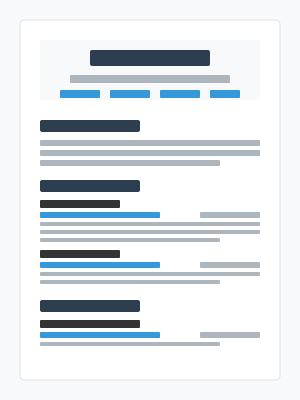 Professional
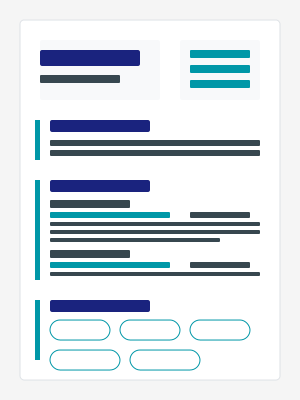 Modern
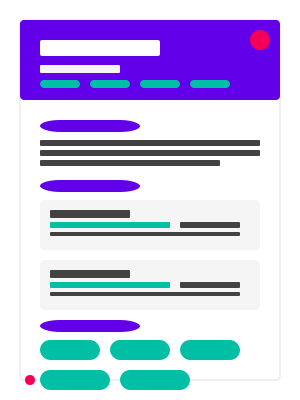 Creative
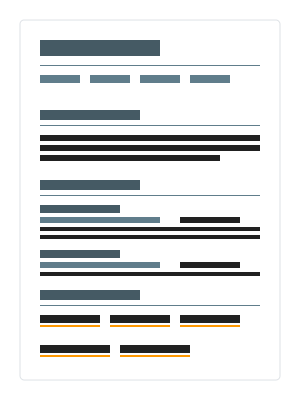 Simple
Resume Sections
- Personal Info
- Professional Summary
- Work Experience
- Education
- Skills
- Projects
- Certifications
- Languages
- Interests
Personal Information
Live Preview
Choose from Professional Templates
Select from our collection of ATS-friendly resume templates designed for different industries and career levels.
ATS Optimization Tips
Learn how to make your resume stand out to both hiring managers and applicant tracking systems.
Use Relevant Keywords
Include industry-specific keywords from the job description to increase your chances of passing ATS filters.
Simple Formatting
Stick to standard fonts, avoid tables, and use simple formatting that ATS systems can easily parse.
Standard Section Headings
Use conventional section titles like "Work Experience" instead of creative alternatives.
Proper File Format
Submit your resume as a PDF or Word document as specified in the job application.